
















პირად კაბინეტში გადავდივართ პროდუქტებში
In your profile go to Products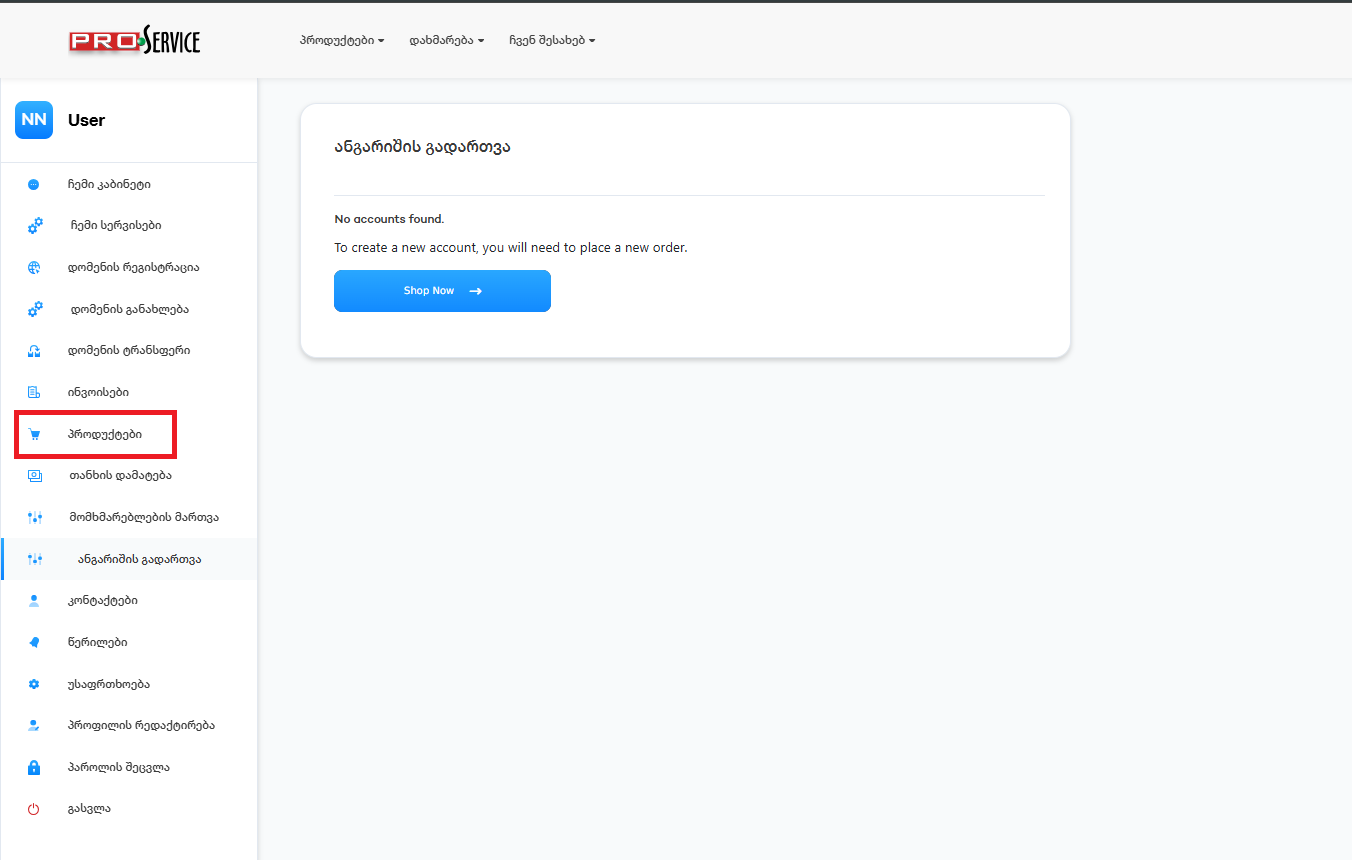
მარცხენა მენიუში ვირჩევთ ჰოსტინგის ტიპს, საზიარო, ვირტუალურ და ა.შ. მარჯვენა მენიუში ვირჩევთ პაკეტს
On the right side, we choose the hosting service and control panel type, and on the left side, the packet.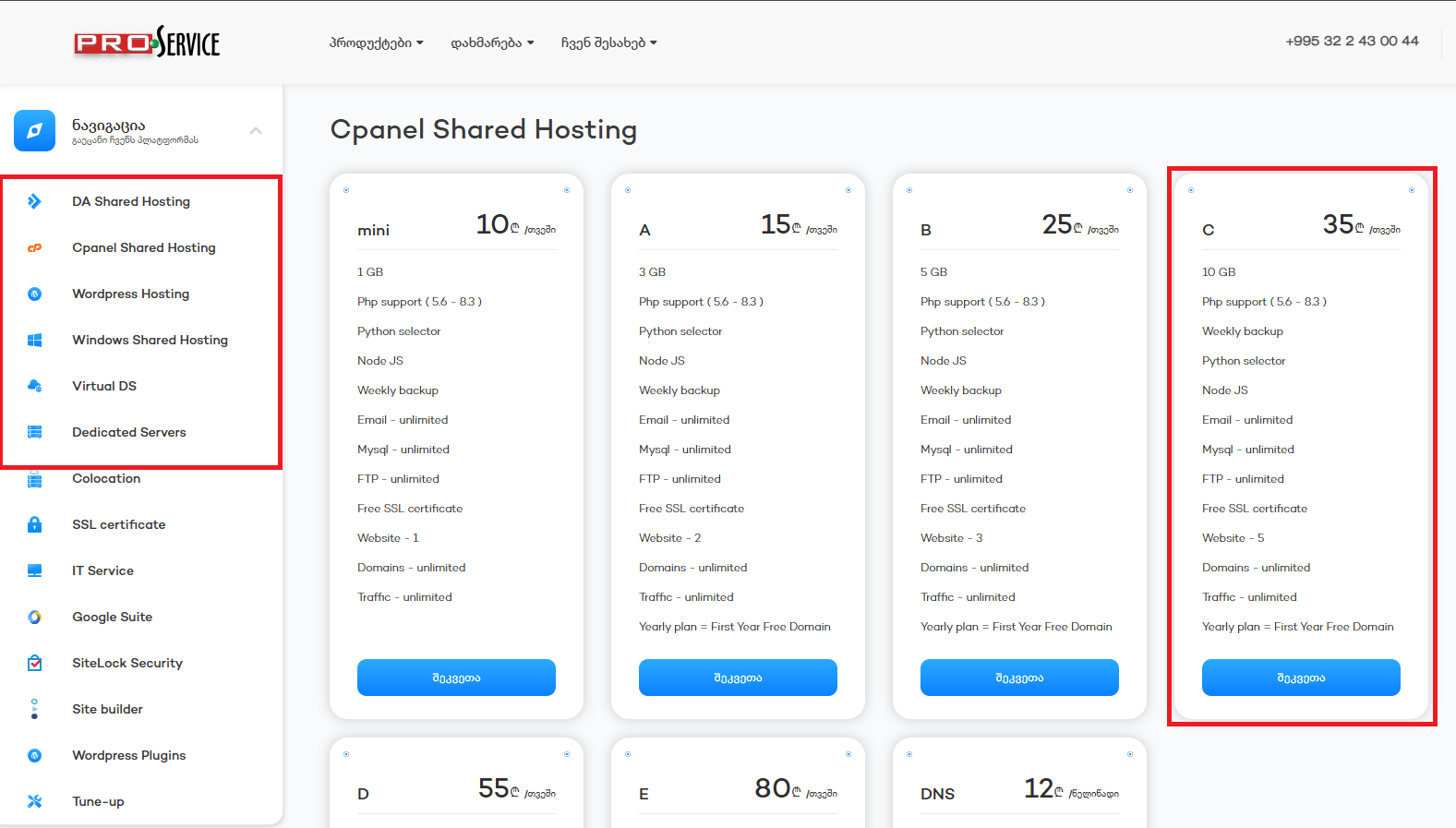
აქ გვაქვს სამი არჩევანი, თუ დომენი არ გვაქვს შეძენილი ვირჩევთ პირველს, თუ დომენი უკვე შეძენილი გაქვთ და ჩვენთან გინდათ დაატრანსფეროთ მეორეს "მსურს დომენის გადმოტანა" თუ დომენის გადმოტანა არ გსურთ აირჩევთ მესამეს, გამოვიყენებ უკვე არსებულ დომენს და მიუთითებთ ჩვენი ჰოსტინგის NS ჩანაწერებს, Direct Admin-ის შემთხვევაში ns1.proservice.ge ns2.proservice.ge cPanel-ის შემთხვევაში cp1.proservice.ge და cp2.proservice.ge
We have three options here, first, when we don't have a domain and register it while ordering the hosting service. Second, when we already have a domain and want to transfer it to Proservice, and third, when we have a domain and don't wanna transfer it elsewhere. In this case, change the domain's NS records with ours, if it's Direct Admin, ns1.proservice.ge, ns2.proservice.ge if it's cPanel, then cp1.proservice.ge, cp2.proservice.ge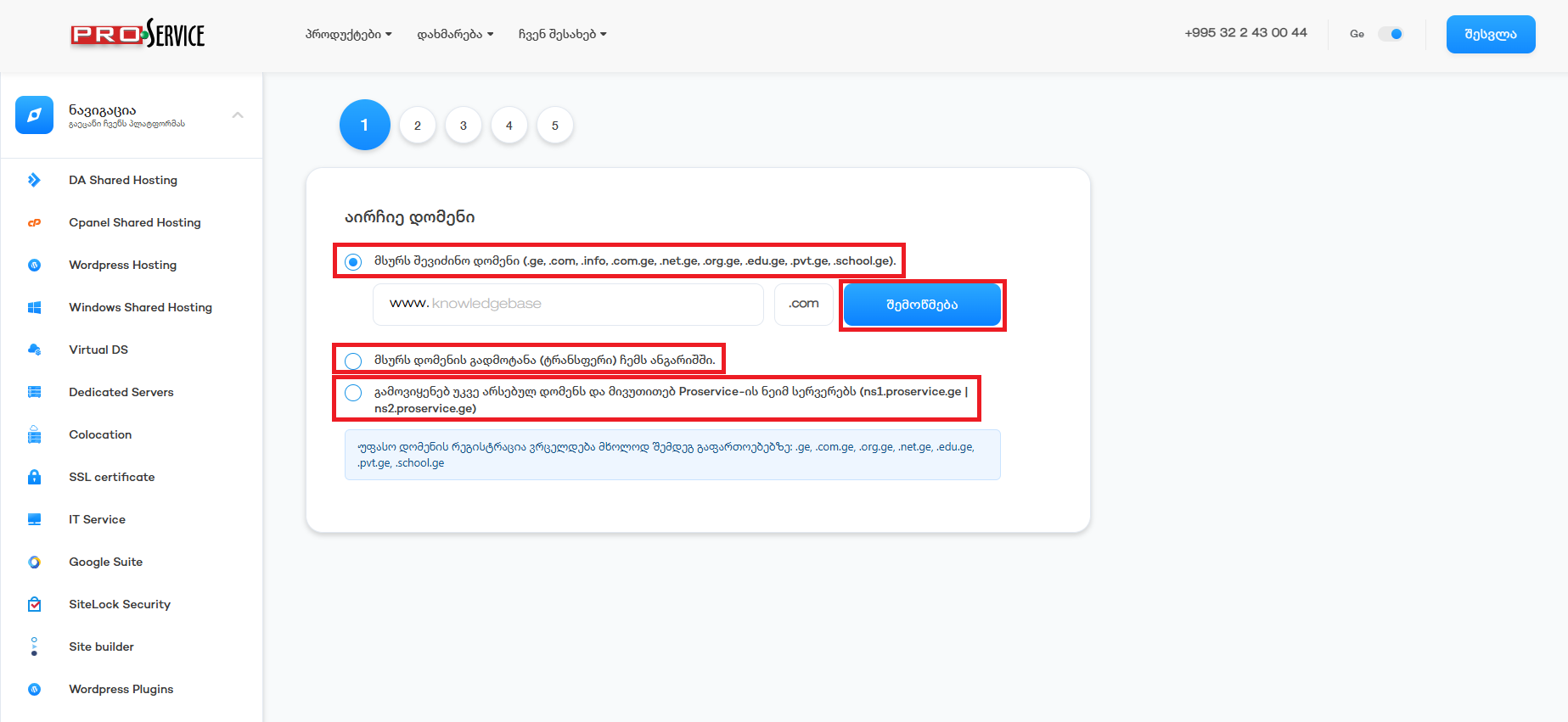
აქ ვირჩევთ გადახდის ციკლის, ყოველთვიური, ყოველწლიური და ა.შ.
Here we can choose a payment cycle, monthly, annually, etc.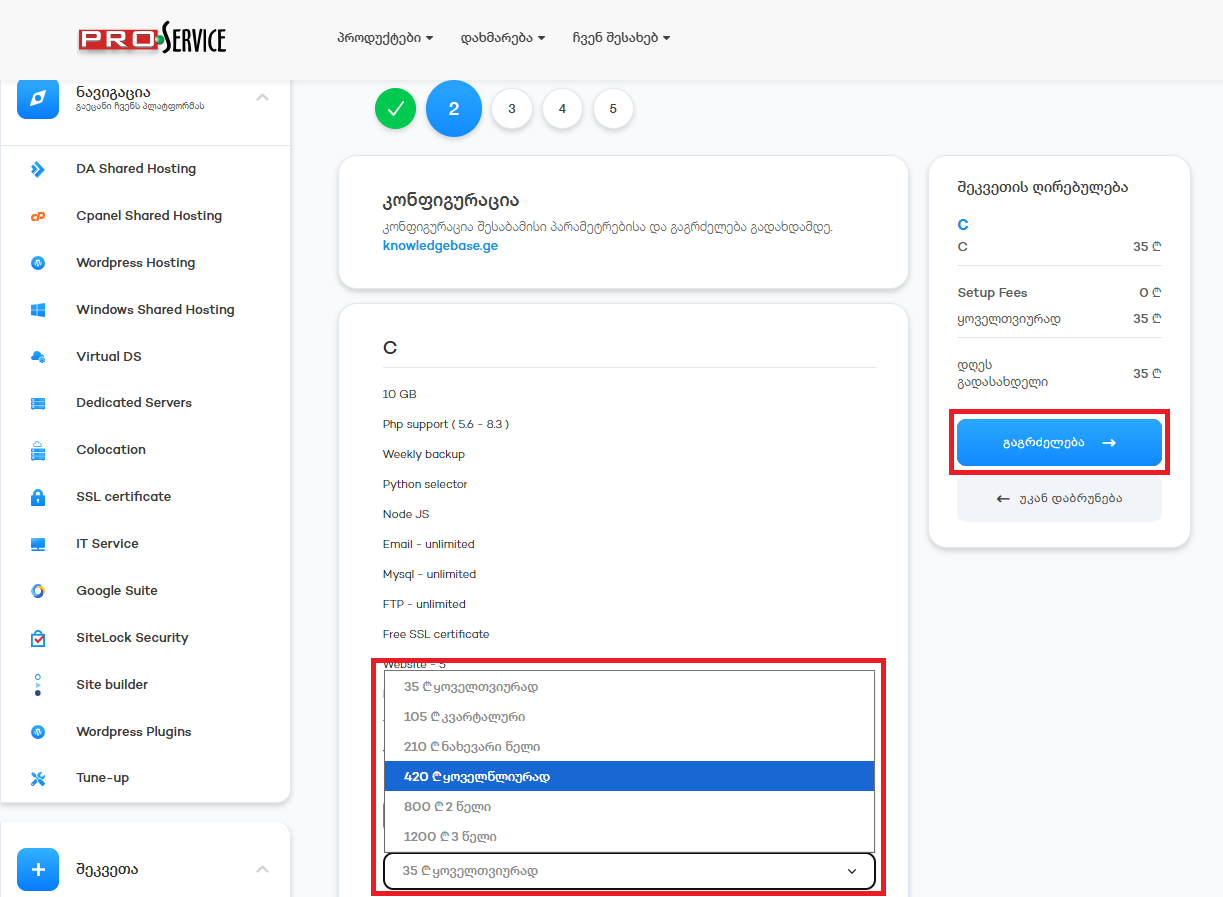
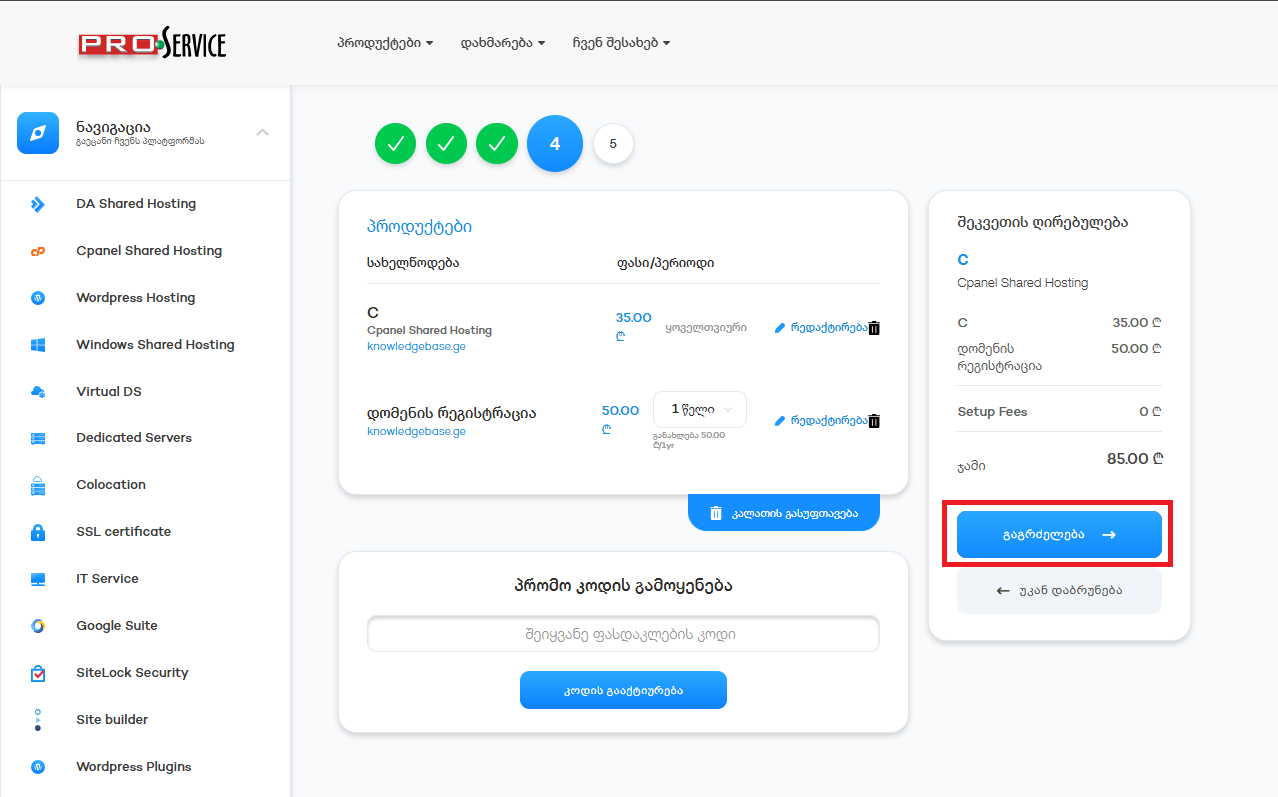
დავრწმუნდეთ რომ ყველაფერი სწორად გვაქვს არჩეული და გავაგრძელოთ
Make sure everything is correct and continue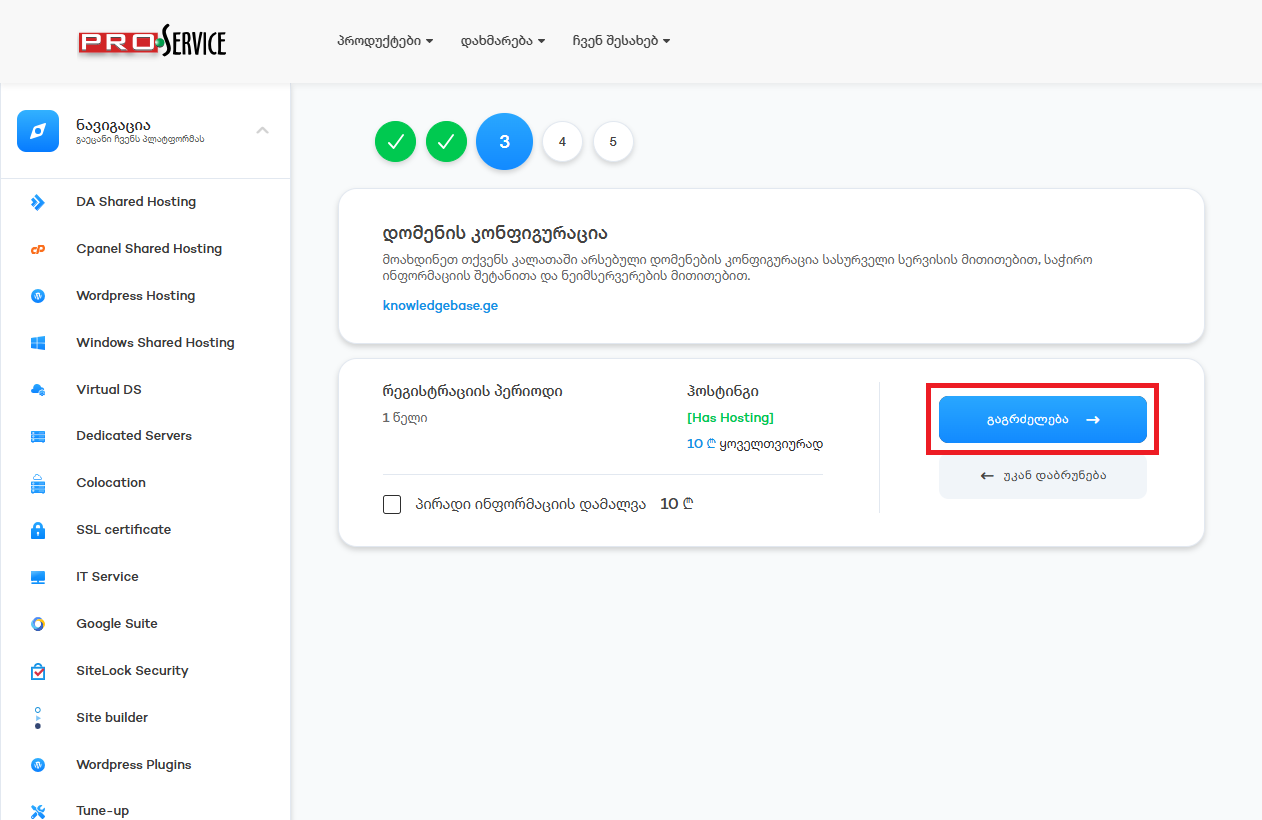
ავირჩიოთ გადახდის მეთოდი, წავიკითხოთ და დავეთანხმოთ წესებს და პირობებს და დავასრულოთ შეკვეთა, ინვოისის გადახდის შემდგომ სერვისი გააქტიურდება.
Pick a payment method, read and check the terms and conditions and finish the order. After paying the invoice, the service activates automatically.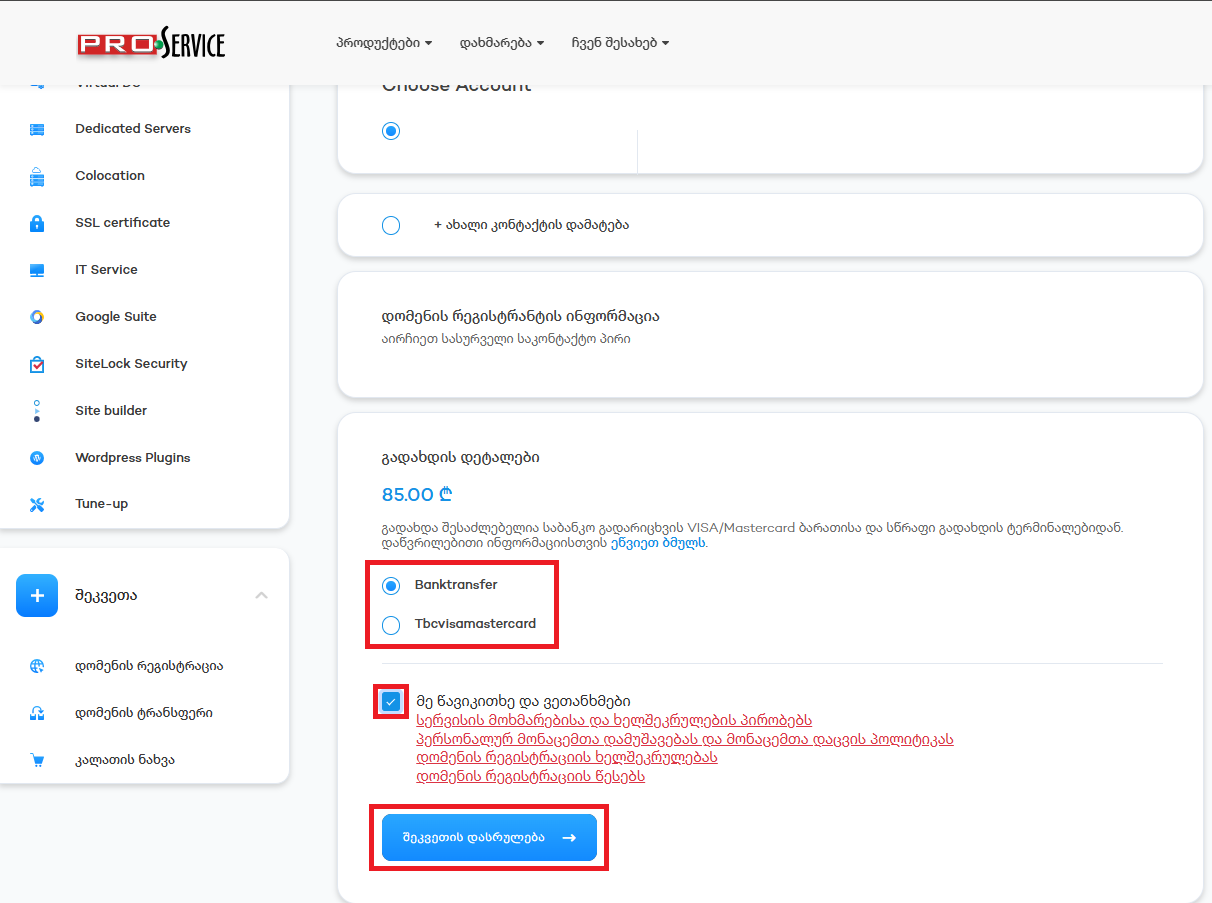
ცოდნის ბაზა
 Order Web Hosting
Related Articles
Access to Hosting Control Panel
პირადი კაბინეტიდან გადადით სერვისებში
In your profile go to services
აირჩიეთ პაკეტი რომლის...
Upgrade Hosting Packet
პირად კაბინეტში გადადით სერვისებში
In Profile click on services
შემდეგ აირჩიეთ სერვისი...
Change NS Records
პირად კაბინეტში გადადით დომენების განყოფილებაში
In the profile click on the domains
აირჩიეთ...
How to Submit a Support Ticket
პირად კაბინეტში ჩამოშალეთ მენიუ დახმარება და აირჩიეთ დახმარების მოთხოვნაIn your profile roll down...
Register a Domain with Web Hosting
პირად კაბინეტში ვირჩევთ დომენის რეგისტრაციასIn your profile go to Domain Registrationვწერთ დომენს...
Powered by WHMCompleteSolution